Merge Dig Simulator Discord and Merge Diggers Group
Where codes drop, where likes count, and how to avoid fan-club clones.
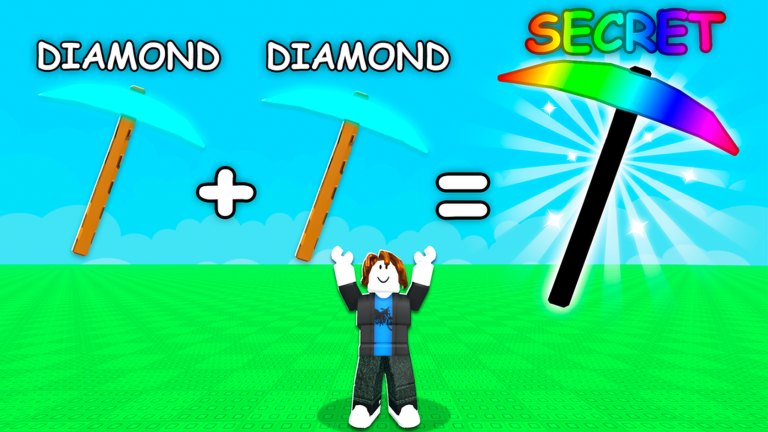
Two official-adjacent places matter for Merge Dig Simulator: the Merge Diggers Roblox group and the Discord invite that code writers circulate alongside Release. Everything tactical about those rewards is on group and Premium. This page is how to arrive at the correct URLs and stay there.
Parent hub: official links. Live strings: codes.
Merge Diggers group
- URL: roblox.com/communities/355600995/Merge-Diggers
- Role: publisher group for Merge & Dig!
- Why join: the experience listing promises exclusive in-game rewards.
- Why stay: some exclusives re-check membership.
Join on the website or in the Roblox app, then re-enter the experience. Standing in the cave while you join on a second phone can delay the grant. If a group with a similar name wants Robux to join, you are in a clone. The real group is the creator of place 106480700466481.
Discord
Code articles point to https://discord.com/invite/ueGj33yzmj. Invites can rotate. If that link 404s, look at the Roblox group shout or the experience description rather than a random video. Inside Discord, treat staff-pinned code messages as primary and “DM me for a script” as a ban invitation. Feature notes for those DMs belong on scripts, not in your inbox.
Use Discord for:
- new codes after
Release, - “is the Shop tab moved?” questions after a changelog stamp,
- confirming event rumors before this wiki reranks tiers.
Do not use Discord as a second Codes tab. You still redeem in-game via how to redeem.
Likes live on Roblox, not Discord
The like reward is a Roblox page button. Liking a Discord announcement does not grant it. Neither does starring this wiki. Click like on the experience, then come back to the cube wall.
No Trello, no secret board
We have not found an official Trello for pickaxe names or ore tables. Fan boards will drift out of date the first time Shop labels change. Trust: group, Discord pins, in-game HUD, then this wiki. That order keeps pickaxe tiers honest.
Safety
- Never give a “helper” your password to redeem a code.
- Never run a file from a Discord #free-scripts channel.
- Never join a second group that claims it is “Merge Diggers 2.”
- Friend invites belong in Roblox, where the listing’s invite reward can actually see them.
After you are in both places
You are done with this page until an invite dies. Return to the session checklist and play. Social links are setup, not content. The content is merging Diamonds toward Secret and mining while a potion is live.
If Merge Diggers posts a new invite, we will swap the URL here and on the links hub. If they post a Trello, it will be a new heading, not a rumor in this paragraph.
How codes actually travel from Discord to Shop
A typical drop looks like a short staff message: the string, the reward, sometimes an expiry hint. Copy it with a long-press, switch to Roblox, and redeem before you argue in chat about whether it is case-sensitive. The how to redeem path does not change because the string came from Discord instead of this wiki. If two channels post two different strings, prefer the pinned staff message, then test once. A second failed test is enough — extra retries will not resurrect an expired launch code.
Group shouts on Roblox are slower but harder to fake. When Discord is noisy, read the shout, then the experience description. Those two surfaces are how Merge Diggers already tells you to like, join, and invite. They will be how a replacement invite is announced if ueGj33yzmj dies.
Returning players who already joined last year
You still open this page after a long break. Membership can lapse if you left the group during a cleanup. Discord can log you out. The like remains on the Roblox page, but a new account you made for “fresh codes” has none of the flags. Run the session checklist on that new account exactly like day one: like, join, redeem, mine. Do not assume the old Discord roles grant Coin Potions. Roles are not Shop inventory.
If you main on console and browse Discord on a phone, keep the code on the clipboard until Roblox’s on-screen keyboard accepts paste. Dropping the string into party chat is the console version of the PC chat mistake. The cave does not parse party chat.
Frequently Asked Questions
Quick answers to the most common questions.
What is the Merge Diggers group link?
https://www.roblox.com/communities/355600995/Merge-Diggers — join, then re-enter the experience.
Where is Discord?
The invite circulating with code coverage is https://discord.com/invite/ueGj33yzmj. If it expires, check the group shout.
Do I redeem codes in Discord?
No. Copy the string, then redeem in Shop → Codes. See how to redeem.
Why is there no Trello?
None is officially published. Use Discord pins and the in-game Shop instead of fan boards.