How to Invite Friends in Merge Dig Simulator
Eight-player servers, invite gifts, and why a frozen party is slower than solo mining.
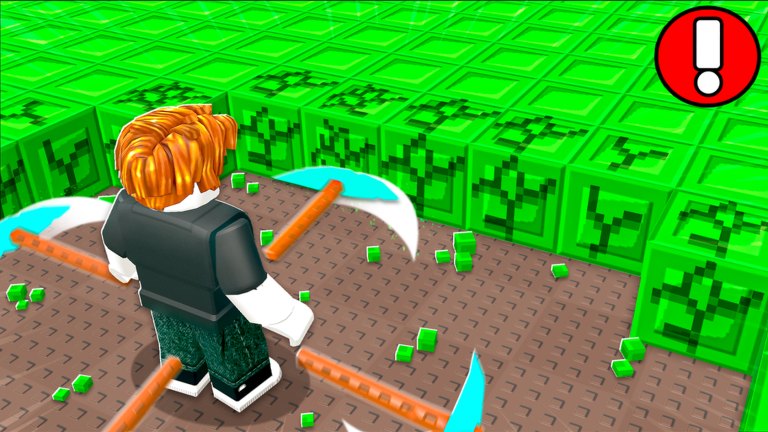
Merge Dig Simulator advertises invite friends for free rewards on the Roblox listing. That line is easy to misread as a raid or a trading mall. It is neither. Servers cap at eight players. You can finish the whole merge ladder alone. Invites are an optional listing gift plus a shared cube wall.
Account flags that are not invites (like, group, Premium) live on group and Premium. Device inputs live on controls. Playstyles live on the players hub and the F2P vs Premium page.
How to actually invite
- You join Merge & Dig! by Merge Diggers (place 106480700466481). Clones will not grant this listing’s invite gift.
- Use Roblox’s own invite / join flow (friends list, server browser, or a share link). There is no in-game “invite code” tab next to Shop → Codes.
- Do not type a username into the Codes field.
Releaseis a Coin Potion string, not a friend token. How to redeem. - Wait until pickaxes load for both of you, then walk to the same green cube wall.
If the friend appears in a different cave screenshot, they loaded a different merge game. Send the official URL from the links hub.
What the listing actually promises
The description stacks three social hooks: invite rewards, join Merge Diggers, like the experience. Invites are the only one that needs a second human. The other two you can finish in thirty seconds before anyone comes online.
We do not invent a fake table of “invite 5 friends = Secret pickaxe.” Secret still comes from two Diamonds (how to get Secret). If Discord ever publishes a numbered invite track, it will appear on updates first.
Eight-player math
Max players: 8. That is a party, not a front page tycoon.
- A quiet 2–3 player wall is usually better than a full instance that hitchs every swing.
- Mobile friends suffer first. If hits stop landing, hop. Coins you cannot click do not count (how to mine).
- VIP servers are not enabled on the public universe snapshot we tracked. You cannot buy a private cave from the listing.
- Merges happen on your inventory. Nobody can “hold your Diamond.” Decline that offer.
What to do together (and what not to)
Do: stand on the same cubes, call out when a Coin Potion is live, remind each other to merge twins instead of browsing cosmetics.
Do not: split to opposite tunnels “for more ore.” The promotional field is a cube wall, not a branching MMO map. Do not run scripts because a friend said the party would go faster. A ban is the slowest co-op.
Use the session checklist so the party still redeems, potions, and merges in order. A friend who only screenshots the Pro cave is not helping the timer.
Invites versus Premium versus codes
| Hook | Needs another player? | What it changes |
|---|---|---|
| Invite | Yes | Listing gift + shared server |
| Like / group | No | Exclusive flags |
| Premium | No | +10% coins |
Release | No | Coin Potion |
Stack them. Do not wait in the spawn fade for a full eight before you mine. Solo progress is real. Friends are extra, not a gate.
If the invite gift never shows, confirm both accounts are in this experience, rejoin, and check Discord and group for a moved claim button after a HUD shuffle. Do not enter INVITE as a code.
Bring people who will hit the wall. That is the whole social layer until a dated changelog says otherwise.
Frequently Asked Questions
Quick answers to the most common questions.
How do I invite friends to Merge Dig Simulator?
Use Roblox’s join/invite tools after they open Merge & Dig! by Merge Diggers. Do not type names into Shop → Codes.
Is the game only playable with friends?
No. You can complete merges solo. Servers allow up to eight players. See the players hub.
Do invites give the Secret pickaxe?
No documented invite grants Secret. Secret is two Diamonds merged. Guide: how to get Secret.
Why is the server lagging with friends?
Eight players is the cap and mobile hitchs first. Hop to a quieter instance and keep mining.